

Mission Overview
Rocky Worlds DDT ("ROCKY-WORLDS")
Primary Investigator: Nestor Espinoza, Hannah Diamond-Lowe
HLSP Authors: Taylor Bell, Leonardo A. Dos Santos
Released: 2025-09-17
Updated: 2026-10-21
Primary Reference(s): rockyworlds.stsci.edu
DOI: 10.17909/qsyr-ny68
Source Data:
- JWST DD 9234, 9235, 12498, 12656, 12758
- HST DD 17903, 17904, 18222, 18233, 18249, 18258
- Source Data DOIs: See Direct Download Table
Slideshow Container
GJ 3929 b JWST Raw Measurements

Figure 1. Raw flux and PSF-metric measurements from a Rocky Worlds DDT eclipse observation of GJ 3929b taken with JWST/MIRI’s F1500W filter.
GJ 3929 b JWST Light Curve Fit

Figure 2. An example fit to a JWST/MIRI F1500W eclipse observation of GJ 3929b collected by the Rocky Worlds DDT Program.
GJ 3929 HST Spectrum

Figure 3. Co-added Lyman-alpha spectrum of GJ 3929 as observed in Visit 8 (black). The blue curves represent a family of random models of the intrinsic Lyman-alpha emission of GJ 3929 that fit the data. The red curves represent the same models, but with models of the interstellar medium absorption included.
Overview
The Rocky Worlds Director's Discretionary Time (DDT) Program is a joint James Webb Space Telescope (JWST) and Hubble Space Telescope (HST) Program. It implements the top recommendations from the Working Group on Strategic Exoplanet Initiatives with HST and JWST, which compiled the views of the community in regards to many topics including specific concepts for a 500-hour DDT JWST exoplanet program (Redfield et al. 2024). The program's main objectives are to search for evidence for atmospheres on rocky exoplanets orbiting M-dwarfs via secondary eclipse measurements at 15 um using the MIRI instrument, as well as to characterize the stellar UV properties with HST.

Update History:
- 2025-09-17: First release of Rocky Worlds HLSP Products! JWST eclipse 1 + HST visit 8 spectra for GJ 3929b.
- 2025-10-22: GJ 3929 b JWST eclipse 2 data now available.
- 2026-01-14: HST light curve and reprocessed spectra now available for GJ 3929.
- 2026-03-20: GJ 3929 b JWST eclipse 3 data now available.
- 2026-04-02: GJ 3929 b JWST eclipse 4 data now available.
- 2026-04-22: Produced light curves for all TIME-TAG observations of GJ 3929 and produced an updated spectrum of star that co-adds all HST observations.
- 2026-06-08: New version (v1.0.1) of JWST files now available for GJ 3929 eclipses 1-4. These fix estimated stellar absolute fluxes by about 10%, and add extra scaling factors to errors in light curves. No changes made to eclipse depth estimations. See NOTES attributes/headers in those files for details.
- 2026-06-25: GJ 3929 b JWST checkpoint 2 files are now available. These files re-use the reductions from the individual eclipses and contain the results from a simultaneous fit to all four eclipses.
- 2026-06-26: TOI-771 b JWST eclipse 1 data now available.
- 2026-07-13: TOI-771 HST visit 1 data now available.
- 2026-07-13: TOI-771 b JWST eclipse 3 data now available.
- 2026-07-28: TOI-771 b JWST eclipse 2 data now available.
- 2026-09-04: LTT 1445A HST data now available, TOI-771 b HST data updated, GJ 3929 HST data updated.
- 2026-09-04: LHS-1140 b JWST eclipse 1 data now available.
- 2026-09-10: TOI-198 HST data now available.
- 2026-10-05: LHS-1140 HST data now available.
- 2026-10-21: HST TOI-244 HST data and JWST LHS 1140 b Eclipse 2 data now available. Updated JWST LHS 1140 b Eclipse 1 data.
Data Products
JWST Data Products
The JWST data products follow the naming convention:
hlsp_rocky-worlds_jwst_miri_<target>-<eclipse>_<filter>_v1.0.1_<product>.<ext>
where:
- <target> is the name of the target, for example, "gj3929b"
- <eclipse> is the identifier for the observation, for example, "ecl001" for individual eclipses or "checkpoint02" for combined files
- <filter> is the name of the filter used for the observation
- <product> is the type of data product, either "eclipse-cat" or "lc"
- <ext> is the file extension, either "fits" or "h5"
Data file types:
| _eclipse-cat.fits | Eclipse catalog fits file. Science-ready, high-level data products for individual observations that can be used to investigate planetary and stellar properties. |
| _eclipse-cat.h5 | Eclipse catalog netCDF4/HDF5 file. Science-ready, high-level data products for individual observations that can be used to investigate planetary and stellar properties. Content is identical to the _eclipse-cat.fits files, but in netCDF4/HDF5 format. |
| _lc.h5 | Light curve netCDF4/HDF5 file. Intermediate-level data products that can be used to reproduce and/or improve upon the analyses that led to the high-level data products. |
A full description of the columns and units in each file is available in the Read Me file.
HST Data Products
The HST data products follow the naming convention:
hlsp_rocky-worlds_hst_stis_<target>_<filter>_v1.0_<product>.fits
where:
- <target> is the name of the target, for example, "gj3929b"
- <filter> is the name of the filter used for the observation
- <product> is the type of data product, either "spec" (spectrum) or "lc" (light curve)
Data file types:
| _spec.fits |
Co-added UV spectrum of the host star. Multiple intermediate-level files will be produced for each grating. A high-level product that stitches all the different modes is created when all observations are obtained. It includes one science extension with the observed data and another extension with a model for the intrinsic stellar Lyman-𝛼 emission line. This product is updated every time a new relevant observation is obtained. |
| _<resolution-type>-spec.fits |
Spectra that have gone through an additional level of processing as a part of the final delivery. These have removed geocoronal contamination from the spectrum, spliced in the best fit Ly-alpha model, and are one of three types: 1. Adapt: spectrum does not have any non-physical negative values with fluxes preserved 2. Fixed: spectrum resampled to 1 Angstrom bins 3. Native: spectrum not resampled and negative flux values have not been modified |
|
_lc.fits
|
Light curve FITS file. Intermediate- to high-level data product that can be used to reproduce and/or improve upon analyses of flares and stellar variability. It includes one science extension with the observed data and another extension that includes a flare model fit to the data if one is detected. One HLSP is created per HST visit |
| _x1d.fits |
The _x1d files are intermediate-level data products. They correspond to the _x1d fits files (extracted 1-d spectra) that automatically come out of the CALSTIS pipeline, with the difference that its background spectra and source spectra are extracted at custom locations. These custom locations can be inferred from the metadata available in the headers. The customization is sometimes necessary, since CALSTIS may not be able to automatically infer the trace position of faint sources in the FUV, such as M dwarfs. |
A full description of the columns and units in each file is available in the Read Me file.
Data Access
MAST Portal and Astroquery
The ROCKY-WORLDS data products are available in the MAST Search Portal (web-based, cross-mission search interface) and Astroquery (Python package to search for and download files from Python scripts you write).
- In the MAST Search Portal, set the Provenance Name filter to "ROCKY-WORLDS" in an Advanced Search to find these data. The user guide for how to search and download products using the MAST Portal is available here.
- For Astroquery, the following example code demonstrates how to search for and download these products. This code assumes that you want to download all products from this HLSP, so you may want to consider narrowing down your search for large HLSPs (> 10 GB) or those with many individual files (> 10k). You can find more astroquery.mast tutorials here.
from astroquery.mast import Observations
# Search for all ROCKY-WORLDS products
all_obs = Observations.query_criteria(provenance_name="rocky-worlds")
data_products = Observations.get_product_list(all_obs)
# Print the number of data products that would be downloaded
print(len(data_products))
# Download data
Observations.download_products(data_products)
-
A web-based interface for cross-mission searches of data at MAST or the Virtual Observatory.
-
Search for and download data products for this HLSP programmatically in Python.


Quick Access
For quick access to the MAST Portal containing data for each target, see the links below:
Direct Download
The data products for this HLSP are also available for direct download using the links in the table below. For the most up-to-date status regarding each observation and future targets, please refer to the Rocky Worlds DDT Website for the full Observing Schedule.
| GJ 3929 b | ||
|---|---|---|
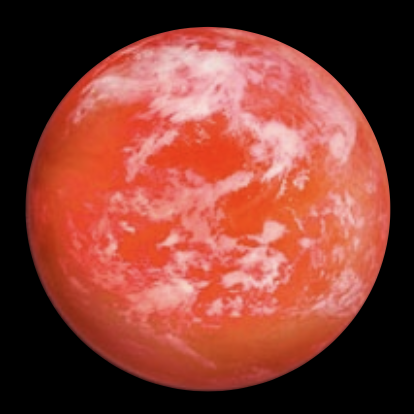
| Artist's Image | JWST Products | HST Products |
|
GJ 3929 b
JWST Program ID: 9235 HST Program ID: 17904 |
|
|

| TOI-771 b | ||
|---|---|---|
| Artist's Image | JWST Products | HST Products |
|
TOI-771 b
JWST Program ID: 12656 HST Program ID: 18249 |
|
|

| LTT 1445A b + c | ||
|---|---|---|
| Artist's Image | JWST Products | HST Products |
|
LTT 1445A b
JWST Program ID: 12758 HST Program ID: 17903 |
|
|
|
LTT 1445A c
JWST Program ID: 9234 HST Program ID: 17903 |
|
|

| LHS 1140 b | ||
|---|---|---|
| Artist's Image | JWST Products | HST Products |
|
LHS 1440 b
|
|
|

| TOI-198 b | ||
|---|---|---|
| Artist's Image | JWST Products | HST Products |
|
TOI-198 b
JWST Program ID: Coming Soon |
|
|

| TOI-244 b | ||
|---|---|---|
| Artist's Image | JWST Products | HST Products |
|
TOI-244 b
JWST Program ID: Coming Soon |
|
|

Code Examples
The authors of this HLSP have provided a few code examples for working with the data in Python, shown below. For more code on how to work with and analyze data from Rocky Worlds DDT, see the rocky-worlds-utils Github repository.
code-tutorials
-
This example shows how to open the JWST eclipse catalog file in Python and how to read metadata from netCDF4/HDF5 files.
import xarray as xr # Open Eclipse Catalog filename = "hlsp_rocky-worlds_jwst_miri_gj3929b-ecl001_f1500w_v1.0.1_eclipse-cat.h5" ds = xr.load_dataset(filename) # Prints out summary information about the dataset print(ds) # An example of how to get access to the metadata stored in the file print(ds.attrs['HLSPTARG']) -
This example opens the JWST light curve file and creates a plot of the flux over time, highlighting the best fit model results for this eclipse:
import xarray as xr import numpy as np import matplotlib.pyplot as plt from astropy.stats import sigma_clip filename_lc = 'hlsp_rocky-worlds_jwst_miri_gj3929b-ecl001_f1500w_v1.0.1_lc.h5' ds_lc = xr.load_dataset(filename_lc) # Compute the x-axis offset for tidy x-ticks t_offset = int(np.floor(np.nanmin(ds_lc.time.values))) # Setup the 3 panel figure fig, axs = plt.subplot_mosaic('A;B;C', figsize=(10*0.8,7.5*0.8), sharex=True, gridspec_kw={'hspace':0.075}) # Plot the raw light curve measurements and the fitted model axs['A'].errorbar(ds_lc.time-t_offset, sigma_clip(ds_lc.rawFlux[0], 10), ds_lc.rawFluxErr[0], fmt='.', c='k', alpha=0.1) axs['A'].plot(ds_lc.time-t_offset, ds_lc.fullModel[0], '-', c='r', lw=1, label='Full Fitted Model', zorder=np.inf) # Plot the systematics-removed measurements and the fitted eclipse model axs['B'].errorbar(ds_lc.time-t_offset, ds_lc.cleanedFlux[0], ds_lc.rawFluxErr[0], fmt='.', c='k', alpha=0.1) axs['B'].plot(ds_lc.time-t_offset, ds_lc.astroModel[0], '-', c='r', lw=1, label='Fitted Eclipse Model', zorder=np.inf) # Plot the data-model residuals in units of ppm axs['C'].errorbar(ds_lc.time-t_offset, (ds_lc.rawFlux[0]-ds_lc.fullModel[0])*1e6, ds_lc.rawFluxErr[0]*1e6, fmt='.', c='k', alpha=0.1) axs['C'].axhline(0, c='r', lw=1, zorder=np.inf) # Setup the figure axes and other details axs['A'].set_title(f"{ds_lc.attrs['PLANET']} Fiducial Light Curve Fit") axs['A'].set_ylabel("Raw Flux") axs['B'].set_ylabel("Cleaned Flux") axs['C'].set_ylabel("Residuals (ppm)") axs['C'].set_xlabel(f"Time (BJD_TDB - {t_offset})") axs['A'].legend(loc=1) axs['B'].legend(loc=1) fig.align_ylabels([axs['A'], axs['B'], axs['C']]) plt.show() -
This example opens the HST spectrum file and creates a plot for GJ 3929:
import matplotlib.pyplot as plt from astropy.io import fits filename = "hlsp_rocky-worlds_hst_cos-stis_gj3929_multi_v1.1_spec.fits" observed_spectrum = fits.getdata(filename, ext=1) # Plot full observed spectrum ax = plt.subplot() ax.plot(observed_spectrum['WAVELENGTH'], observed_spectrum['FLUX']) ax.set_xlabel(r'Wavelength [${\rm \AA}$]') ax.set_ylabel(r'Flux density [erg s$^{-1}$ cm$^{-2}$ ${\rm \AA}^{-1}$]') ax.set_xlim(min(observed_spectrum['WAVELENGTH']), max(observed_spectrum['WAVELENGTH'])) plt.show() # Plot observed Lyman-alpha spectrum and the reconstruction model model_spectrum = fits.getdata(filename, ext=2) ax = plt.subplot() ax.errorbar(observed_spectrum['WAVELENGTH'], observed_spectrum['FLUX'], yerr=observed_spectrum['FLUXERROR'], label='Observed spectrum') ax.errorbar(model_spectrum['WAVELENGTH'], model_spectrum['FLUX'], yerr=model_spectrum['FLUXERROR'], label='Reconstruction model') plt.legend(loc=2) ax.set_xlabel(r'Wavelength [${\rm \AA}$]') ax.set_ylabel(r'Flux density [erg s$^{-1}$ cm$^{-2}$ ${\rm \AA}^{-1}$]') ax.set_xlim(min(model_spectrum['WAVELENGTH']), max(model_spectrum['WAVELENGTH'])) plt.show() -
The JWST checkpoint files re-use the reductions from the individual eclipses and contain the results from a simultaneous fit to all four eclipses. This example shows how to open the checkpoint eclipse catalog and plot the combined light curve for GJ 3929 b.
import matplotlib.pyplot as plt
import numpy as np
from scipy.stats import binned_statistic
import xarray as xr

# Load the checkpoint eclipse catalog and grouped light-curve product.
catalog = xr.load_dataset(
    "hlsp_rocky-worlds_jwst_miri_gj3929b-checkpoint02_f1500w_v1.0_eclipse-cat.h5",
    engine="netcdf4",
)
lightcurves = xr.open_datatree(
    "hlsp_rocky-worlds_jwst_miri_gj3929b-checkpoint02_f1500w_v1.0_lc.h5",
    engine="netcdf4",
)

# Choose the number of time bins.
n_bins = 28

# Collect all visit light curves after shifting each one to its fitted
# mid-eclipse time. Each visit lives in its own DataTree group.
rows = []
for i, name in enumerate(sorted(lightcurves.children)):
    ds = lightcurves[name].ds.isel(visit=0)
    rows.append(np.column_stack((
        (ds.time.values - float(catalog.eclipseTime.isel(visit=i))) * 24.0,
        ds.cleanedFlux.values,
        ds.rawFluxErr.values,
        ds.astroModel.values,
    )))

# Stack all visits, then keep only points that were included in the fit.
# The model is NaN for integrations that were dropped before fitting.
time_hr, flux, err, model = np.concatenate(rows).T
fit = np.isfinite(model) & np.isfinite(time_hr + flux + err) & (err > 0)
order = np.argsort(time_hr[fit])
time_hr, flux, err, model = (x[fit][order] for x in (time_hr, flux, err, model))

# Bin the light curve in time using inverse-variance weights from rawFluxErr.
edges = np.linspace(time_hr.min(), time_hr.max(), n_bins + 1)
centers = 0.5 * (edges[:-1] + edges[1:])
weights = 1.0 / err**2
wsum, _, _ = binned_statistic(time_hr, weights, statistic="sum", bins=edges)
fwsum, _, _ = binned_statistic(
    time_hr, flux * weights, statistic="sum", bins=edges
)
bflux = fwsum / wsum
berr = np.sqrt(1.0 / wsum)

# Plot unbinned points faintly, then overlay the model and binned light curve.
fig, ax = plt.subplots(figsize=(7.2, 3.0))
ax.errorbar(centers, (bflux - 1) * 1e6, yerr=berr * 1e6, fmt=".", color="k", label="Binned data")
ylim = ax.get_ylim()
ax.plot(time_hr, (flux - 1) * 1e6, ".", ms=3, color="0.7", alpha=0.08)
ax.plot(time_hr, (model - 1) * 1e6, color="r", label="Eclipse model")
ax.set(
    xlabel="Time since mid-eclipse (hours)",
    ylabel="Planetary flux (ppm)",
    ylim=ylim,
)
ax.legend()
fig.tight_layout()
fig.savefig('hlsp_rocky-worlds_jwst_miri_gj3929b-checkpoint02_f1500w_v1.0_preview.png', dpi=300, bbox_inches='tight')
plt.show(fig)
Citations
Please remember to cite the appropriate paper(s) below and the DOI 10.17909/qsyr-ny68 if you use these data in a published work.
Note: These HLSP data products are licensed for use under CC BY 4.0.